Overview
Every pre-start an operator completes is built from a checklist template — the sections and items, which of them are critical, and what kind of answer each item wants. Templates live in the console under Inspections → Checklists, and getting them right is the highest-leverage configuration in the platform: the template is the inspection.
Before you start
- Plan
- Any
- Role
- Contributor or above to create and edit templates
The four template types
| Type | Used for |
|---|---|
| Pre-start | The daily inspection — the one the interlock acts on. Every fleet needs at least one |
| Service | Structured service and maintenance work |
| Equipment induction | Operator familiarisation on a specific machine type |
| Toolbox | Toolbox-talk content and attendance |
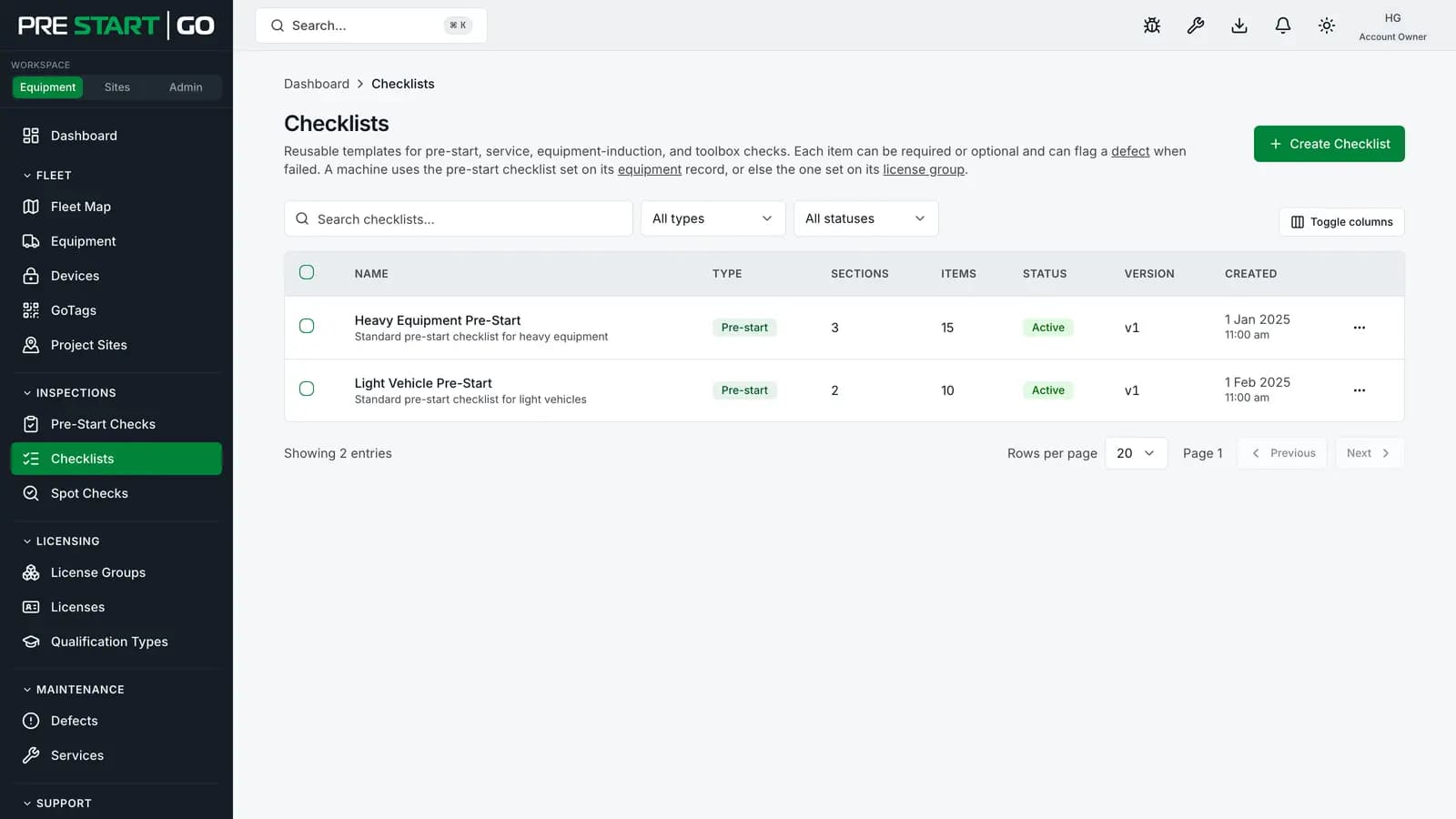
A template's type is fixed at creation — it can't be changed afterwards, because checks already completed against it are typed by it.
Items: shapes and criticality
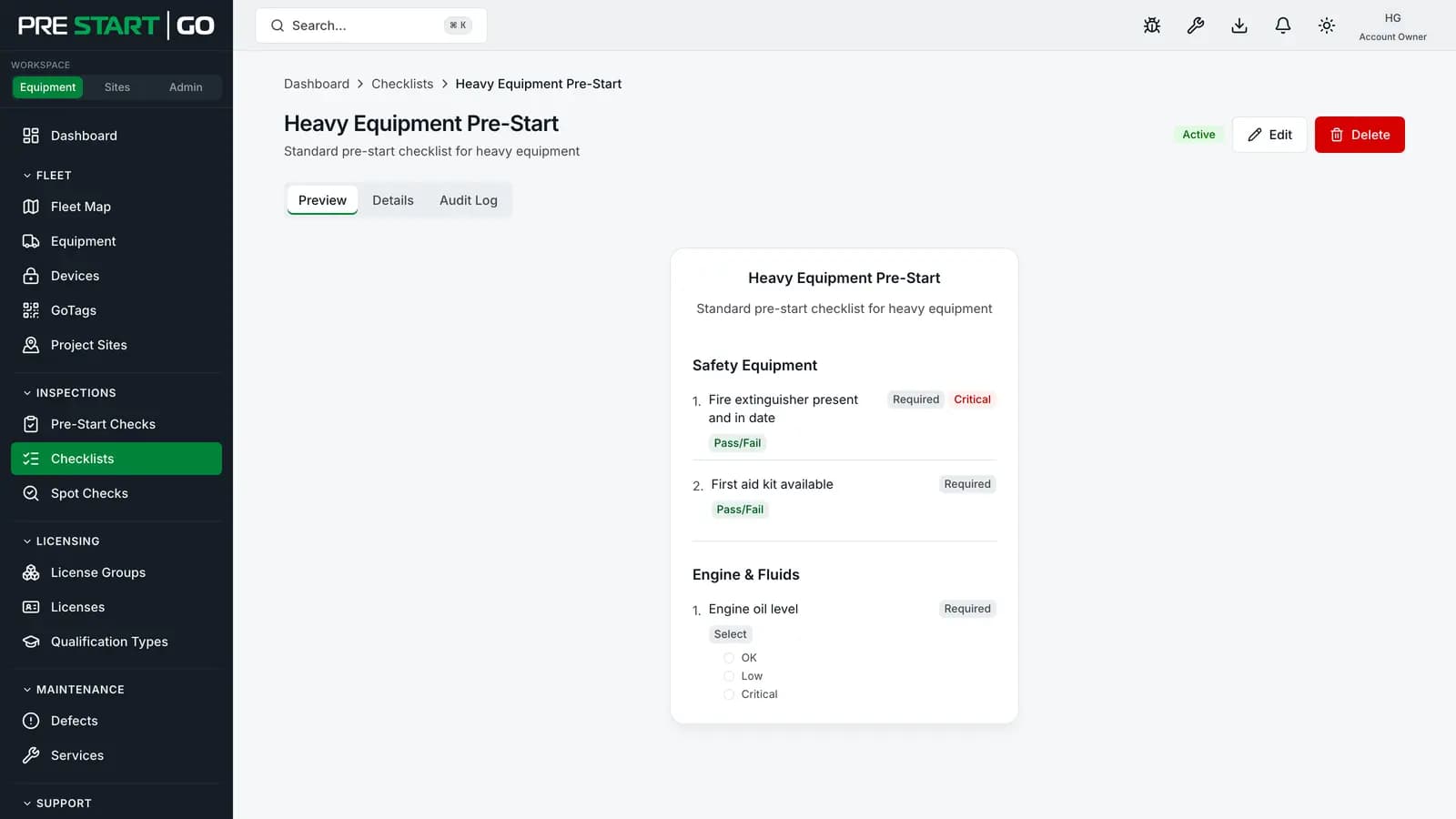
Items aren't limited to pass/fail. An item can ask for text, a number, a selection (single or multiple), a date or time, a photo, or a signature — and an instruction item displays guidance without asking anything. Whatever the shape, each answerable item still resolves to pass/fail/N/A underneath, which is what the compliance outcome is derived from.
The flag that matters most is critical:
- A failed critical item fails the whole check, and the machine stays locked.
- A critical item left unanswered also fails the check — an omission can never derive a pass.
- Critical items are excluded from the operator's per-section "All pass" shortcut and must be answered individually.
- On a Service template, a critical item marked Fail when the service is completed raises a defect that holds the machine the same way — see Services and Maintenance Workflow.
Mark items critical because they're genuinely safety-critical — brakes, seatbelts, guards — not as emphasis. Every critical failure locks a machine and raises a defect; a template where half the items are "critical" trains operators that critical means nothing.
Which template a machine uses
The checklist is derived, not chosen: at inspection time the app resolves the machine's own default template, falling back to its equipment group's default. Operators never pick from a list — so set a default per group (the normal case), and override per machine only where a specific machine genuinely differs.
If neither the machine nor its group has a default, operators hit a hard "no checklist available" block — worth checking when you add a new group. See Managing Your Fleet.
Versioning
Every saved edit bumps the template's version counter, and every completed check records which version it was performed against — so the audit trail always knows what the operator was actually asked, even years and many edits later. If a check arrives against an older version than current (an operator's phone that hadn't synced the latest edit), the check is accepted and flagged with the version mismatch rather than rejected — the field evidence is never discarded over an office edit.
The version counter tells you that something changed, not what — keep human change notes (in the description, or your own records) for the substance of significant edits.
Retiring a template
Deactivate a template rather than deleting it: it stops being offered for new inspections everywhere — including on phones, once they sync — while every historical check performed against it keeps its full meaning. If the retired template was a group's default, set a replacement default at the same time.
Edge cases
- Editing mid-day — operators' phones pick up the edit on their next sync; a check already in progress completes against the version it started with, recorded as such.
- A new item type before phones update — an operator whose app predates a newer item shape sees it as unsupported, and a required one blocks completion. Fail-safe by design; keep field apps updated when adopting new item types.
- Photos as evidence — a photo item on the template requires a photo per inspection. Separately, your organisation can require photos on defects — a related but distinct setting.
Troubleshooting
| Symptom | Likely cause | What to do |
|---|---|---|
| Operators report "no checklist available" | No default resolves for that machine or group | Set the group default (or the machine's) |
| An edit isn't showing in the field | Phones haven't synced | It arrives on each phone's next sync |
| Type field greyed out when editing | Type is fixed at creation | Create a new template of the right type |
| A check shows a version-mismatch flag | It was completed against an older version | Expected during rollout of an edit; review it like any flagged check |
| Retired template still running in the field | The phone hasn't synced since the deactivation | It disappears from that phone at the next sync |