Overview
The console's fleet surface is where machines become records: registered, classified into groups, tagged, fitted with devices, and — where relevant — deployed to sites or hired across organisations. This article maps the pieces and how they connect.
Before you start
- Plan
- Any
- Role
- Contributor or above to create and edit; any role to view
Equipment records
An equipment record is one machine — an excavator, a truck, a generator, anything that gets inspected. Each carries:
- Name and identifiers — a human-readable name, plant number, registration.
- Equipment group — the classification everything else keys off (below). Required.
- Make, model, and year — identification and service scheduling.
- Defaults — a machine-specific default checklist or configuration, where it differs from its group.
Register machines one at a time from Equipment → Add Equipment, or in bulk by CSV import for a large fleet. One habit worth enforcing: fill the group column on every CSV row — a machine imported without a group can't be inspected by anyone until it's classified, because every operator licence is group-scoped.
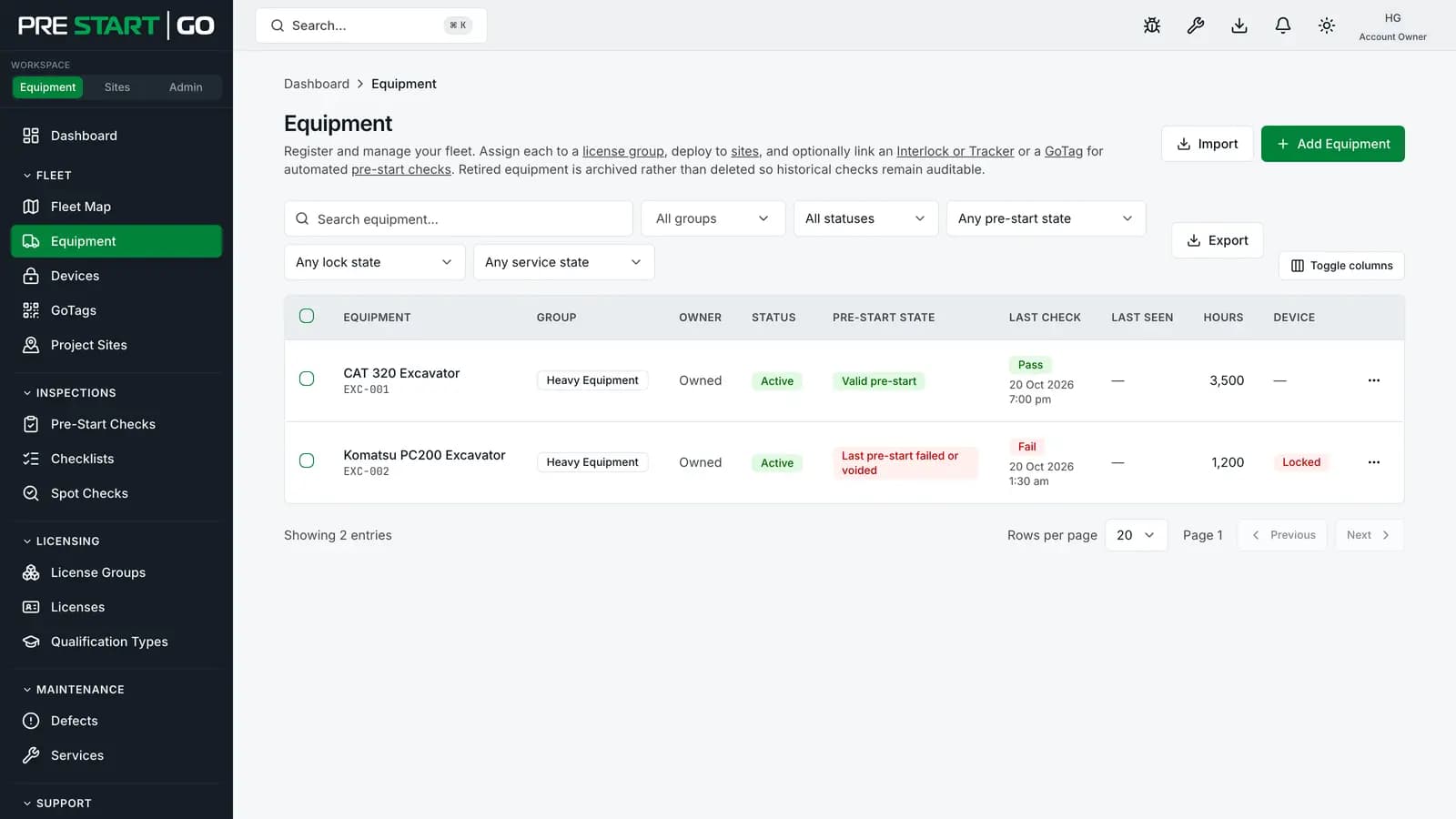
The list's Pre-start state column says where each machine's latest pre-start stands: Valid pre-start, Pre-start expired, Last pre-start failed or voided or Never pre-started. The filters above it narrow the list by pre-start state, to machines Locked by a defect, and, where your plan includes service management, to machines Overdue for service. The Equipment Dashboard's lines open this list with those filters already set.
Equipment groups do the heavy lifting
Groups (Excavators, Telehandlers, Light Vehicles…) are not just folders — three things key off them:
- Licensing — operator licences are per group, so the group decides who may operate the machine.
- The default checklist — machines inherit their group's template unless individually overridden.
- Configuration defaults — group-level settings cascade to member machines.
They matter enough to have their own article: License Groups.
Devices and GoTags
Each machine can carry at most one Interlock and at most one Tracker, plus one or more GoTags:
- Interlock — the BLE interlock, commissioned by a Technician at the machine. The console shows each device's record and its settings — read-only, because machine settings are set at the machine, by the technician, during commissioning.
- GoTag — the QR + NFC identity tag, installed by a Technician.
- Tracker — live tracking, coming and not on sale yet.
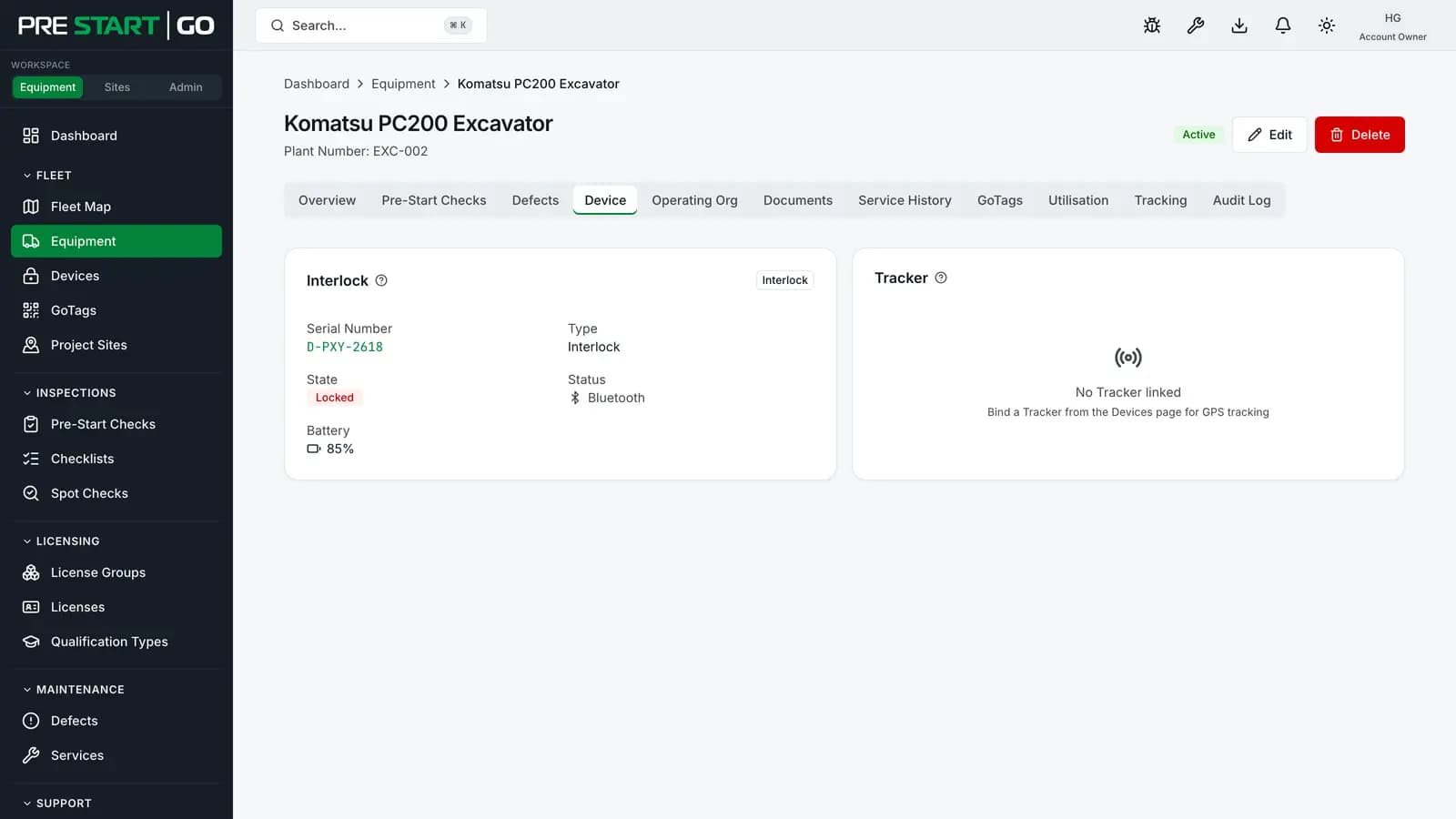
A machine's status field (active, inactive, maintenance, decommissioned) is a reporting and filtering signal — what actually takes a machine out of operation is the out-of-service lockout on a defect, which blocks pre-starts and unlocks until lifted. Don't rely on status to stop anyone; see Triaging Defects in the Console.
Owner and operator: the hire split
Every machine has an owner organisation — permanent, changed only by a true transfer. A machine hired or loaned out additionally has an operating organisation for the duration:
- The operating organisation classifies the machine into one of its groups, licenses its own people, and its operators inspect and unlock it like any of their own plant.
- The owner keeps full visibility of compliance and service history throughout, and the machine stays on the owner's fleet map. The operating organisation sees, on the machine's page, where its own latest pre-start with a GPS position since the hire began was done.
The full story — agreements, classification, returns — is Cross-Org Equipment Rental.
Site deployment
On Builder and Hire plans, a machine can be deployed to a site, connecting it to site-level compliance — inductions, toolbox attendance, zones. A machine sits on at most one site at a time, and moves between sites leave a historical trail. See Site Check-In and Geofencing.
Edge cases
- A machine with no GoTag is fully manageable and inspectable by browsing — it just has no walk-up scan point or public logbook access until a tag is installed.
- Decommissioning a machine ends its active life but never its history — inspections, defects and service records stay, as the audit trail requires.
- A CSV import past your plan's machine cap is refused whole: nothing is imported, and the message says how many machines the file would add. Machines hired in to you count towards the cap too.
- Duplicate registration (the same physical machine entered twice) is best caught early: consolidate before both records accumulate history, and use identifiers (plant number, registration) to keep the fleet unambiguous.
Troubleshooting
| Symptom | Likely cause | What to do |
|---|---|---|
| Can't save a new machine | No equipment group selected (or none exists) | Create/choose the group first — it's required |
| CSV import leaves machines nobody can inspect | Blank group cells in the import | Classify each machine into a group after import |
| Operators can't see a newly added machine | Their licence doesn't cover its group | Licence the group, or reclassify the machine — see License Groups |
| "Out of service" machine still shows status Active | Status and the lockout are independent | The lockout on the defect is what blocks operation; status is a reporting field |
| A hired-in machine can't be inspected | Not yet classified into your groups | See Cross-Org Equipment Rental |