Overview
Some pre-starts arrive with an automatic "second look, please" flag. Review is the human half of that machinery: a Supervisor reads the flagged check and either approves it (it stands) or invalidates it (it no longer counts). The original record is never rewritten either way.
Note
Review happens in two places. On the phone, it's done by someone holding a Supervisor licence for that equipment's group. In the console, it's done by anyone with the Contributor role or above. The console's dashboards count the flagged pre-starts waiting and open the queue.
What flags a check
A flag is a signal, not a verdict — the check still counts (and still unlocked the machine) unless a reviewer invalidates it. In the console, a pre-start's flags are listed under Quality Flags on its page, each with a one-line explanation. The flags, as the console names them:
| Flag | What it means |
|---|---|
| No spotter confirmed | This machine needs a spotter, but none was confirmed on this pre-start — including the "no spotter available" path |
| Not the current checklist | The operator used a checklist other than the one this machine is set to use. It also flags a pre-start done on a checklist that has since been deleted, or one that answered an item since removed from its checklist |
| No current license | When the pre-start was done, the operator held no current licence that covers it — typically a pre-start done offline, which the phone allowed on the licence it had stored |
| Different Interlock | The pre-start was sent from an Interlock that isn't the one now paired with this machine. Check the pairing |
| Possible duplicate | The same operator submitted another pre-start on this machine within 10 minutes |
| Machine's group deleted | The license group this machine belongs to has been deleted. Move the machine into a current group |
| Phone clock off | The phone's clock differed noticeably from the server's, so check the recorded times |
| Uploaded n hours late | How long a pre-start done offline took to reach the server. It sends the check for review past 24 hours |
| Done offline | Recorded on the phone without a connection and uploaded later. On its own it doesn't send the check for review, unless the phone's times for it couldn't be confirmed |
A pre-start uploaded later can also be sent for review with none of these flags: when it was done in a restricted zone the operator wasn't qualified for, or where a site rule would have refused it. The Zone Warnings card on its page says which.
Reviewing on the phone
- 1From the To-do tab, tap the Review chip for the flagged queue.
- 2Open a check — the reasons it was flagged are listed at the top, above the full record.
- 3
Decide. Approve — it's fine; add an optional note. Invalidate — it shouldn't stand; a note explaining why is required.
- 4Confirm. The badge updates immediately, and the decision syncs to the console within moments.
Each check takes exactly one review — a second reviewer opening it after a decision sees the outcome rather than the buttons.
Reviewing in the console
- 1
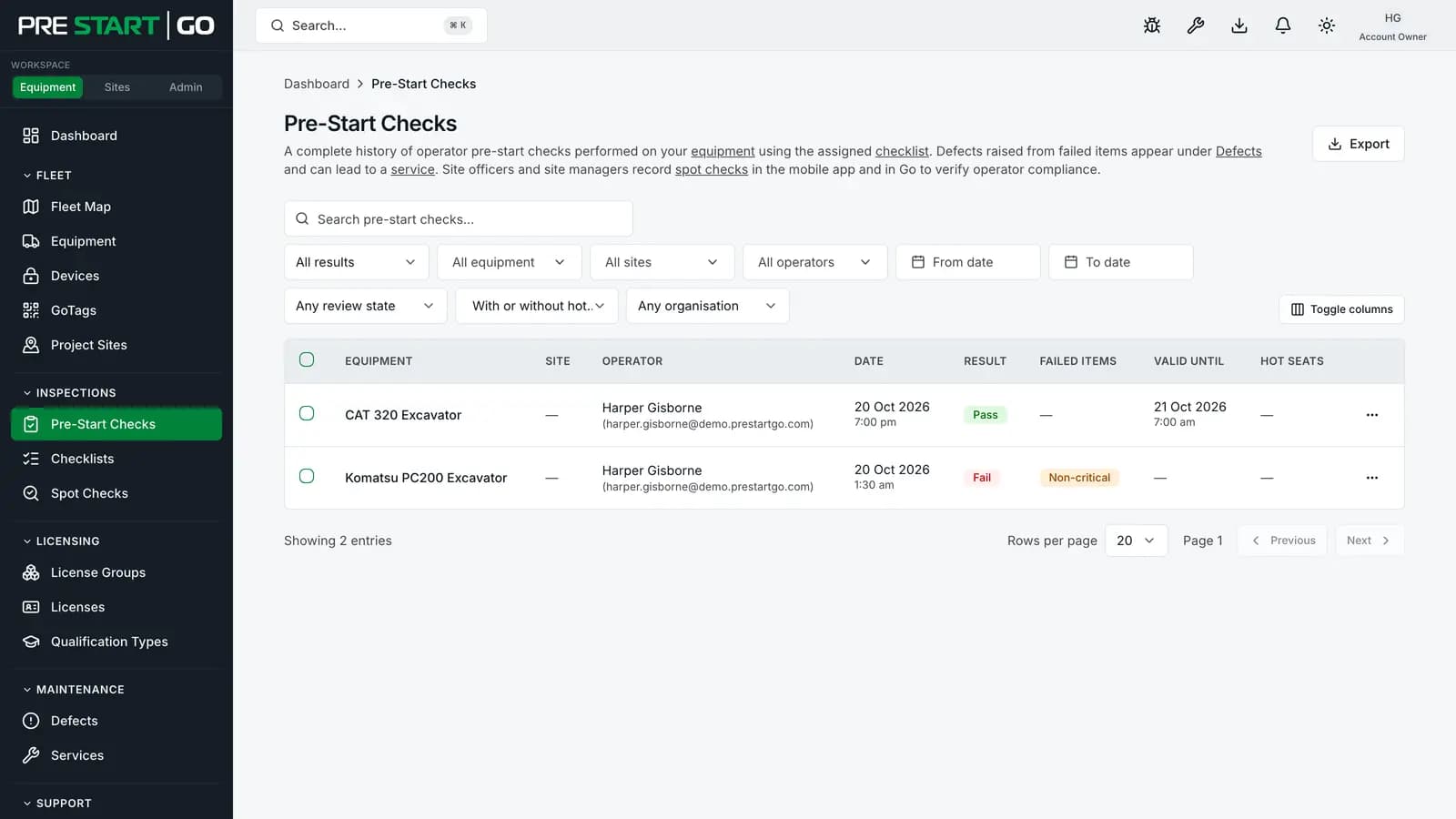
On the Equipment Dashboard, the Needs your attention list shows Flagged pre-starts to review whenever any are waiting. It opens the Pre-Start Checks list with its filters set to Needs review and Our organisation only. The Site Dashboard, scoped to one site, shows the same line for that site.
- 2
Open a check. Its Quality Flags say why it was flagged, and its Review card shows the review status.
- 3
Approve it from that card, with an optional note, or Invalidate it with the button at the top of the page, which needs a reason. Both need the Contributor role or above.
What invalidation sets in motion
- The check's result becomes Invalidated — permanently recorded alongside the original submission, never instead of it.
- The operator gets a priority "Pre-Start Check Invalidated" notification.
- The machine now has no valid pre-start, so normal operation needs a fresh, passing inspection.
One honest limit: the Interlock on the machine is Bluetooth-only, so an invalidation can't reach out and physically re-lock it from the office — no remote lock exists. The machine's own validity window keeps counting down regardless and locks the interlock when it lapses; the invalidation is the compliance record and the human process around it.
Licence scoping
You can act only on checks for groups you hold a Supervisor licence in. A flagged check outside your groups opens read-only — full detail, no decision bar — which is the licensing system working, not a fault. See Licensing Operators.
Edge cases
- Reviewing your own check — the same operator-and-reviewer situation is worth avoiding as policy; the record attributes both actions to you either way.
- A flagged check that expires before review — expiry and review are independent: an expired check can still be reviewed for the record, and an approved check still expires on schedule.
- Console visibility — a phone-side decision shows on the check's page (its Review card) within about a minute, and the check drops out of the Needs review filter; there is no separate sync step to run. A decision made in the console updates the dashboard's count straight away.
Troubleshooting
| Symptom | Likely cause | What to do |
|---|---|---|
| No Approve/Invalidate bar on a check | No Supervisor licence for that group | See Licensing Operators |
| Approve is greyed out in the console | Your console role is Read-only | Approving and invalidating in the console need Contributor or above |
| Invalidate won't submit | The note is empty | A justification is mandatory for invalidation |
| "Already reviewed" message | Another Supervisor decided first | One review per check — the outcome is shown |
| Review queue seems stale | Phone hasn't synced | Pull to refresh |